


If you feel like AI is moving too fast to keep up with, you aren’t alone. In just a few years, we’ve gone from simple chatbots to AI tools that can manage our entire schedules, draft complex code, and edit high-definition video in seconds.
For TechBotts readers, the goal isn’t just to use AI—it’s to use the right AI tools for productivity to save time. Here are five essential tools that have become game-changers this year.
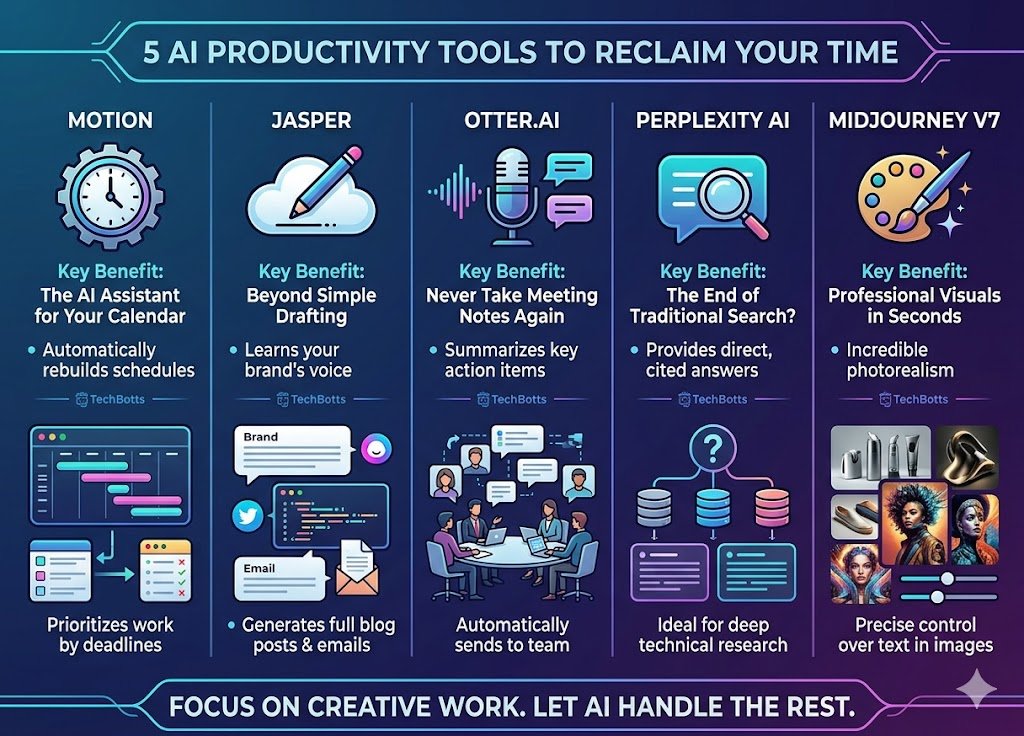
1. Motion: The AI Assistant for Your Calendar
Gone are the days of manually moving calendar blocks. Motion uses AI to automatically rebuild your schedule when a meeting runs long or a new task pops up. It prioritizes your work based on deadlines, so you never have to ask, “What should I do next?”
2. Jasper: AI Content Generation for Creators
While many use basic LLMs, Jasper is one of the best AI tools built specifically for creators and marketers. It learns your brand’s voice and can generate entire blog post drafts, social media captions, and email campaigns that actually sound like you—not a robot.
3. Otter.ai: Automated Meeting Notes
Meetings are a productivity killer, but Otter.ai has changed the game. It doesn’t just transcribe; it summarizes key action items and sends them to your team automatically. It’s like having a dedicated secretary in every Zoom call.
4. Perplexity AI: The Future of AI Search
Stop scrolling through pages of blue links. Perplexity provides direct, cited answers to complex questions. It’s essentially a search engine that talks back, making it the perfect tool for deep technical research or quick fact-checking.
5. Midjourney v7: Professional AI Visuals
Whether you need a featured image for a blog or a mockup for a client, Midjourney remains the king of AI imagery. The latest updates allow for incredible photorealism and precise control over text within images.
Why These AI Tools Matter
The “AI Revolution” isn’t about the technology itself; it’s about reclaiming your time. By automating the mundane tasks—scheduling, note-taking, and basic drafting—you can focus on the creative work that actually moves the needle.
Pro Tip: Don’t try to adopt all five at once. Pick one “pain point” in your workflow (like a messy calendar) and let AI solve that first.
